Importing Tapos performances into Custom Post Types is a breeze with Jeero. Instead of manually copying and pasting information, your website will always have up-to-date information, including dates, prices, and ticketing.
This tutorial will show you how to connect your WordPress website to Tapos. You will then import your performances into the Custom Post Types plugin. When finished, you will have a website that provides an always-updated overview of your performances, including full descriptions, genres, cast, images and trailer.
Ask you Tapos contact for your Tapos feed URL.
Select Tapos in the Ticketing solution field:
Click on Save Changes.
Enter your Tapos feed URL:
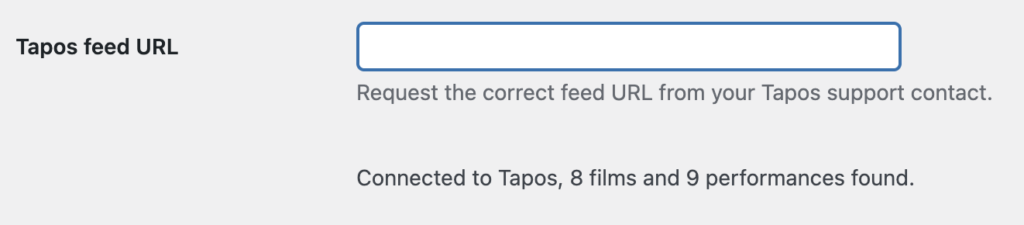
Click on Save Changes.
Click on the Custom Post Types tab.
Tick the Enable Custom Post Types import checkbox:
The sync is now active. Your performances will be visible in Custom Post Types within 5 minutes:
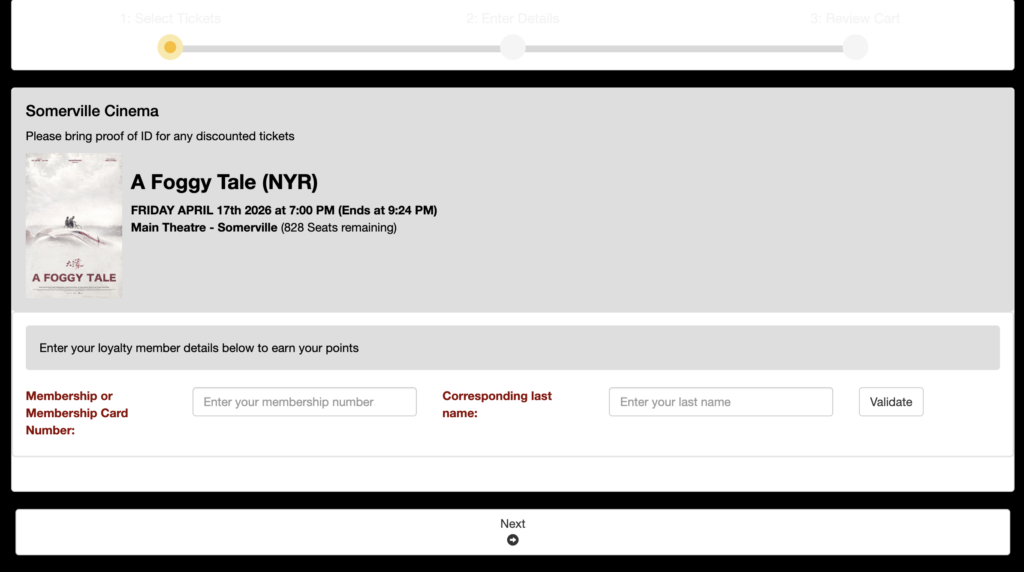
Clicking on the tickets link automatically leads visitors to the corresponding Tapos ticketing page:
Jeero's free plan allows you to sync up to ten upcoming performances at any given time. Ideal for small organisations and testing purposes.
Paid plans begin at € 30 per month or € 300 per year and allow you to sync up to 1.000 upcoming performances.
In this tutorial, you learned how to connect Custom Post Types to Tapos and have all of your performances automatically published on your WordPress website. Jeero handles the synchronization between the two and saves you from manually copy-pasting all of the performance details after each update.
I hope you found this guide useful. If you require any additional information, please do not hesitate to contact me . I'm also curious if there are any ticketing or calendar plugins that I should include.
Please contact me so I can add your ticketing solution too.
